
What’s New April 2026 Release
We’re excited to introduce the latest update to FSS Window Pro®, built to make your consults workflow faster, simpler, and more accurate.
Let’s dive into what’s new 👇
🔄 1. Home Screen Report Access
In this release, we’ve simplified the Home screen for better usability.
The “How To” has been moved to the left menu, creating a cleaner interface
A new “Generate Report” button is now available on the Home screen
When you tap Generate Report, you’ll be redirected to the web portal, where you can:
Log in using your same app credentials
Manage clients and projects
Generate and download reports
Handle your subscriptions
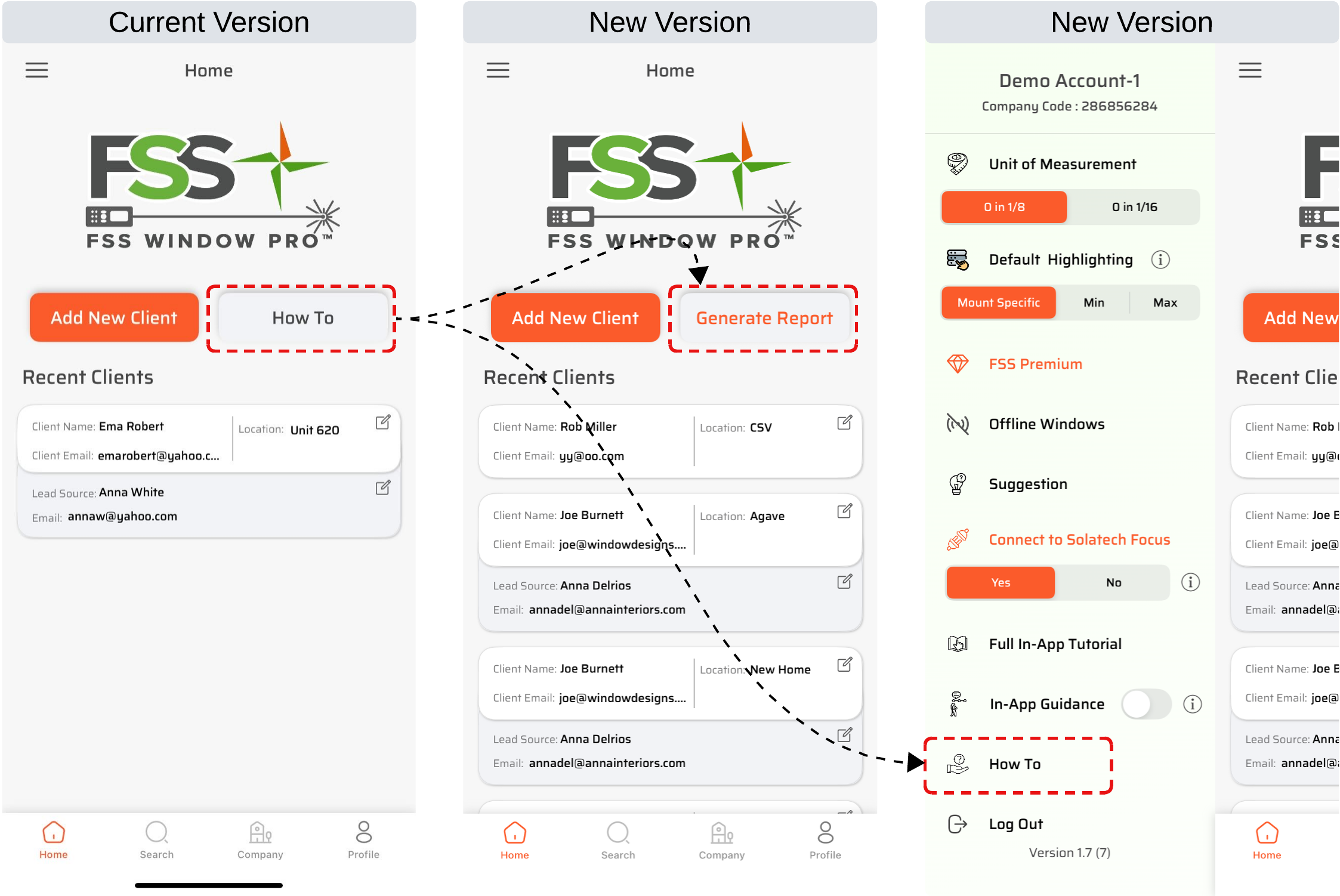
👉 This makes reporting faster and more accessible, especially during client interactions.
🔄 2. User Highlight Control
We’ve added a new highlighting control in the left menu to guide you while measuring.
You can now choose between:
Mount Specific
Min
Max
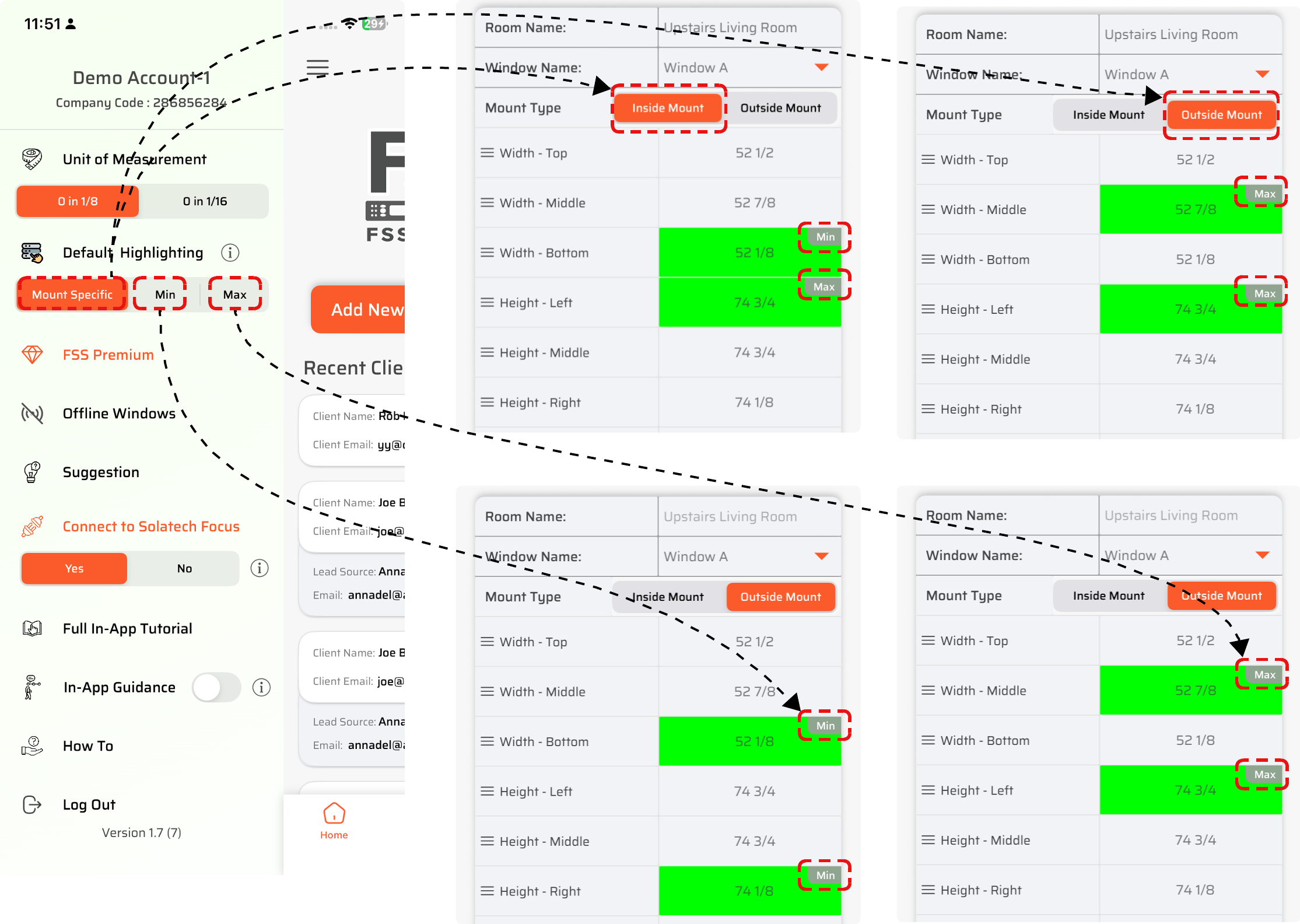
👉 The app will automatically highlight the correct values based on your selection.
Why this matters:
Eliminates confusion between multiple measurements
Ensures you always pick the right dimension
Makes order placement faster and error-free
🔄 3. Project Creation
Introducing the new Quick Project feature.
Create a project using just a project name
No need to enter full client details upfront
👉 This is perfect for the initial consultation stage.
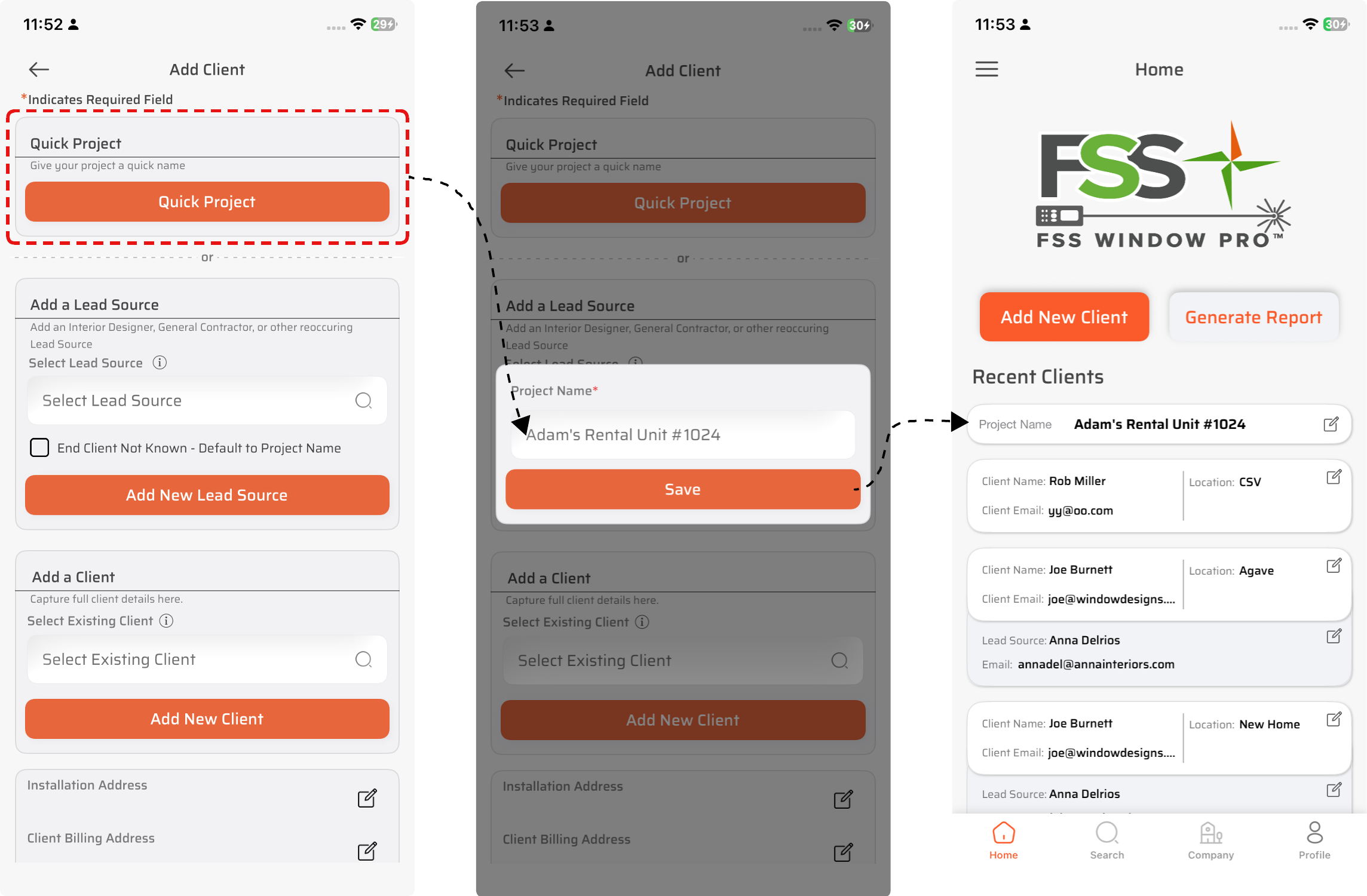
Workflow improvement:
Start measuring immediately
Collect client details during the consultation
Update information later without slowing down your process
🔄 4. Smart way of Room Creation
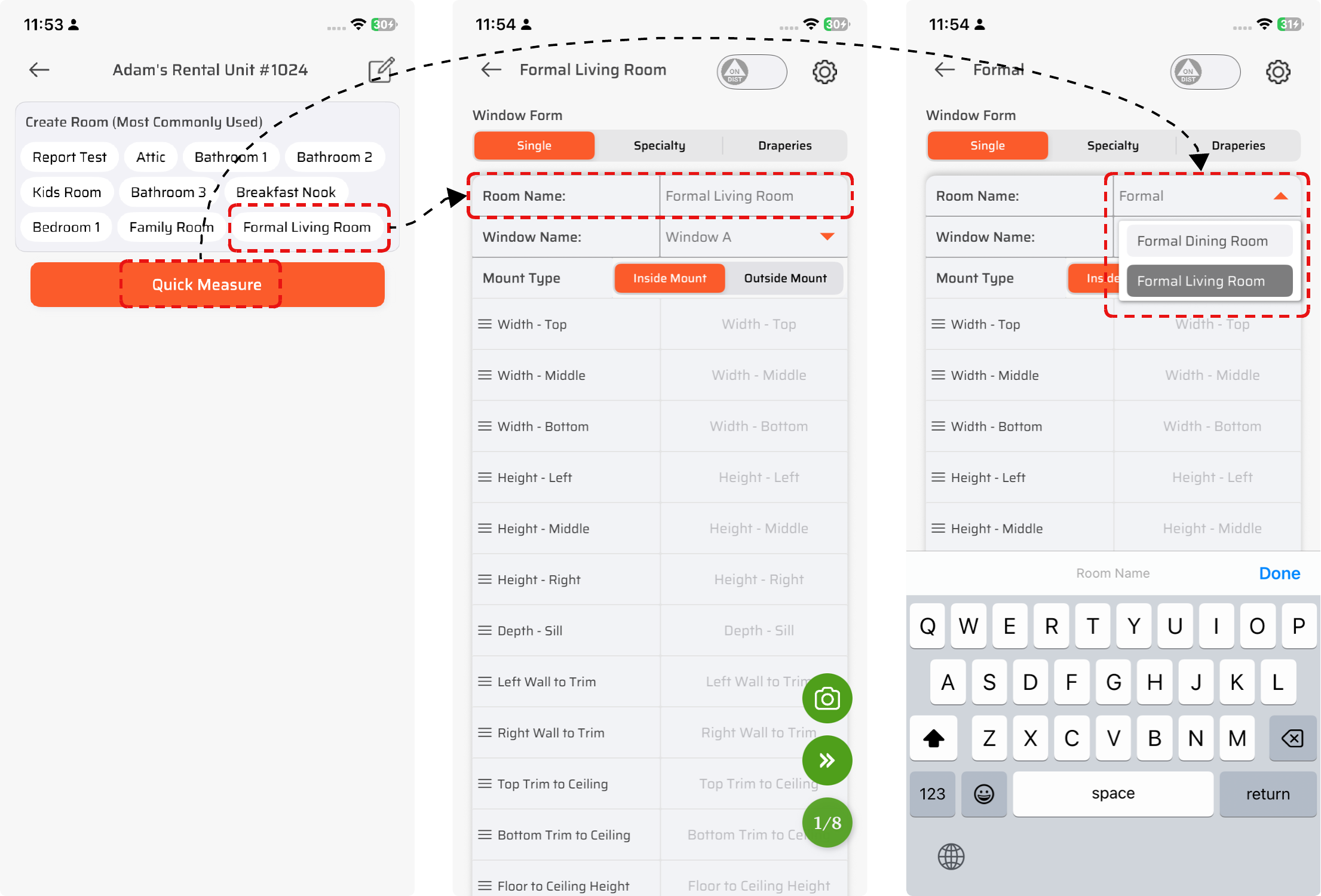
We’ve streamlined the room setup process to reduce unnecessary steps.
Room Name is now part of the measurement form
Added Most Used Room shortcuts
Introduced smart room suggestions and custom naming
👉 You can now:
Select common rooms instantly
Use auto-suggestions instead of typing full names
Or enter custom room names when needed
Make it stand out
🔄 5. Floating Camera Button
Capturing job site photos just got easier.
A new floating camera button is now available on the measurement screen
No more scrolling to find camera options
How it works:
Tap → Open camera and capture instantly
Long press → Upload images from your gallery
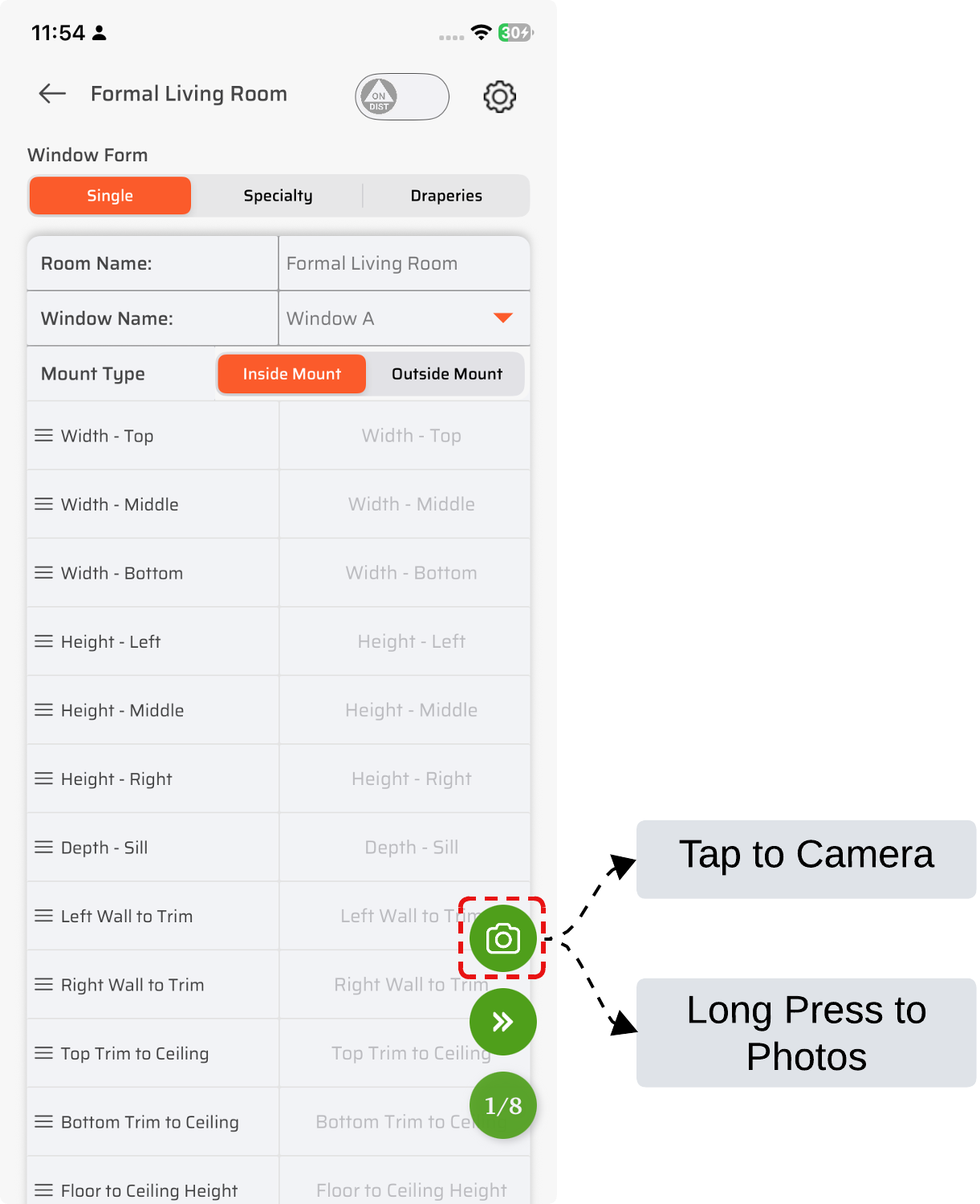
👉 This ensures you can document job site conditions quickly without interrupting your workflow.
🎯 Final Thoughts
This update is all about speed, simplicity, and accuracy.
With:
Faster project and room setup
Smart measurement guidance
Quick access to reports
Seamless photo capture
You can now measure faster, reduce errors, and close jobs more efficiently.
🚀 Ready to Try It?
Update your app today and experience a smarter way to measure, manage, and deliver projects with FSS Window Pro®.